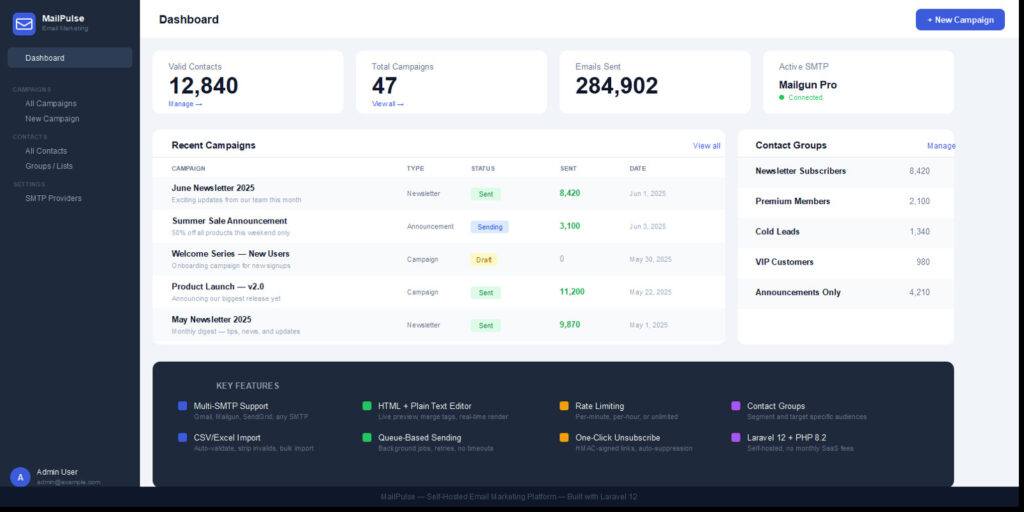
Nairavoice MailPulse brings full email marketing functionality directly into your WordPress dashboard. Send bulk email campaigns using your own SMTP providers — you own your data, your sending infrastructure, and your costs.No third-party subscription required. No per-email fees. Just install, connect your SMTP, and start sending.– Multi-SMTP support — add multiple providers, choose one per campaign
– Contact management — add manually or bulk import via CSV
– Contact groups — organise contacts into targeted audience lists
– Campaign builder — supports both HTML and plain text email formats
– Merge tags — personalise with {{first_name}}, {{last_name}}, {{email}}, {{unsubscribe_url}}
– Rate limiting — control sending speed per minute or per hour
– One-click unsubscribe — HMAC-signed links, automatically managed
– Campaign tracking — monitor sent, failed, and open counts in real time
– Background processing — uses WP Cron, no server configuration needed
– Per-user isolation — each WordPress user manages their own data independently– WordPress 5.9 or higher
– PHP 8.0 or higher
– MySQL 5.7+ or 8.0+
– Any SMTP provider (Gmail, Mailgun, SendGrid, Brevo, Amazon SES, Outlook, or cPanel mail)
– mod_rewrite enabled (standard on all WordPress hosts)
– Works on shared hosting, VPS, or dedicated server — no Composer or terminal needed– Upload the plugin zip via WordPress Admin → Plugins → Add New → Upload Plugin
– Activate the plugin — all database tables are created automatically
– Navigate to MailPulse in your WordPress sidebar
– Go to SMTP Providers → add your credentials → Activate → Test
– Go to Contacts → Import CSV (columns: email, first_name, last_name) or add manually
– Go to Groups → create a group and assign contacts to it
– Go to Campaigns → New Campaign → select SMTP, groups, write content → Save Draft → Send
– Full documentation included in readme.txt
Discover more from NAIRAVOICE.COM.NG
Subscribe to get the latest posts sent to your email.